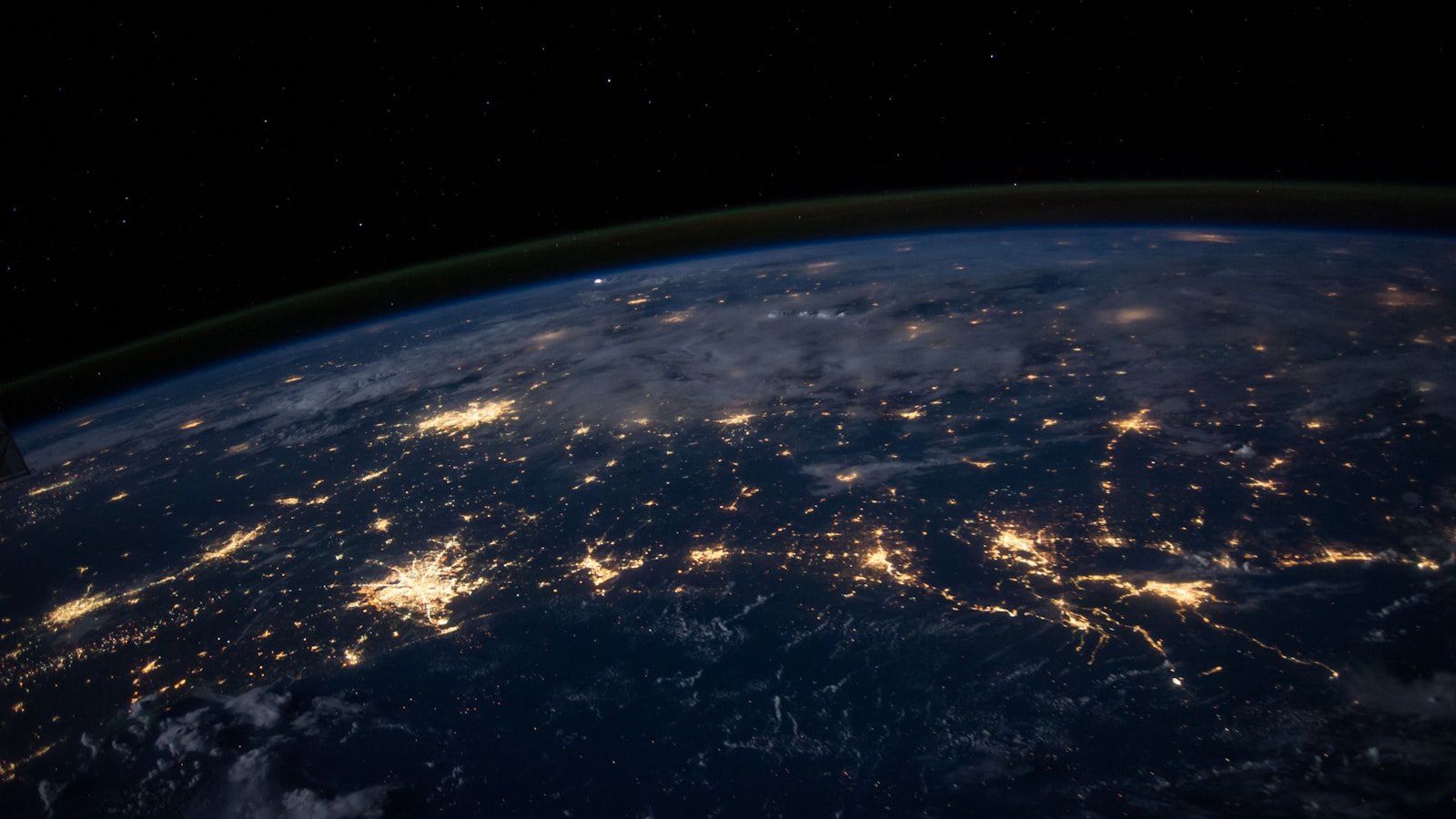
Image: NASA Earthdata
NASA's Worldview tool lets anyone explore near-real-time satellite imagery of Earth — for free, in a browser, with no login required. It is genuinely powerful, but the sheer number of data layers can be overwhelming if you do not know what each sensor actually measures.
This guide introduces the three most commonly used instruments — VIIRS, MODIS, and Sentinel-1 — and explains how to read what they show you.
What is Worldview?
NASA Worldview is a web application maintained by NASA's EOSDIS (Earth Observing System Data and Information System). It displays imagery from dozens of satellite instruments, updated daily or more frequently.
Key features:
- Browse imagery by date (archive goes back decades for some instruments)
- Layer multiple data products on the same map
- Compare dates side-by-side
- Download data or take snapshots
- No account needed for basic use
VIIRS — Visible Infrared Imaging Radiometer Suite
What it is
VIIRS flies on the Suomi NPP and NOAA-20/21 (JPSS) satellites in sun-synchronous polar orbits. It provides global coverage approximately twice daily.
What it measures
VIIRS has 22 spectral bands spanning visible light to thermal infrared (0.4–12.5 µm). Key products include:
| Product | What it shows |
|---|---|
| True Color | Natural-colour composite (how Earth looks to the eye) |
| Corrected Reflectance | Atmospherically corrected surface brightness |
| Thermal Anomalies (Fire) | Active fire and hotspot detections |
| Night Lights (Day/Night Band) | City lights, fires, and other nocturnal light sources |
| Sea Surface Temperature | Ocean temperatures from thermal bands |
| Aerosol Optical Depth | Atmospheric dust, smoke, and pollution concentration |
How to read it
- True Color images are intuitive — green land, blue ocean, white clouds. But they can be misleading: haze, thin cloud, and atmospheric scattering affect what you see.
- Corrected Reflectance is more scientifically useful because atmospheric effects are partially removed.
- Fire detections appear as coloured dots overlaid on the base image. Each dot represents a pixel where the thermal signature matches active burning.
Common misreadings
- Sun glint (specular reflection off water) can look like cloud or haze
- Thin cirrus cloud can be nearly invisible in true colour but present in other bands
- "No data" swaths appear as grey strips between orbits
MODIS — Moderate Resolution Imaging Spectroradiometer
What it is
MODIS instruments fly on NASA's Terra (morning pass) and Aqua (afternoon pass) satellites. Together they provide at least two views of any location per day.
What it measures
MODIS has 36 spectral bands and produces a huge range of products:
| Product | What it shows |
|---|---|
| True Color (Bands 1-4-3) | Natural appearance |
| 7-2-1 False Color | Burn scars, vegetation, bare ground |
| Land Surface Temperature | Daytime and night-time ground temperature |
| Chlorophyll-a | Ocean productivity (phytoplankton concentration) |
| Snow Cover | Snow extent mapping |
| NDVI | Vegetation greenness index |
How to read it
- True Colour works the same way as VIIRS but at a slightly different spatial resolution (~250 m for bands 1–2, 500 m for bands 3–7).
- 7-2-1 False Colour assigns SWIR (shortwave infrared) to red, NIR to green, and visible red to blue. In this composite:
- Healthy vegetation appears bright green
- Bare ground and urban areas appear pink/magenta
- Burn scars appear dark brown or black
- Water appears dark blue or black
- Clouds appear white or cyan
This is extremely useful for tracking wildfires, deforestation, and land-use change.
Common misreadings
- Confusing MODIS with VIIRS — they look similar but come from different instruments with different characteristics
- Assuming true-colour images show the "real" picture — they are still processed composites
Sentinel-1 — Synthetic Aperture Radar (SAR)
What it is
Sentinel-1 is part of the EU's Copernicus programme (operated by ESA). It carries a C-band synthetic aperture radar (SAR), which means it actively illuminates the surface with microwave pulses and records the reflected signal.
Why it matters
SAR works day and night, through cloud cover. This makes it invaluable when optical sensors are blocked by weather — common in tropical regions, during volcanic eruptions, and in polar winter.
What it shows in Worldview
Worldview includes Sentinel-1 radar backscatter layers. These appear as greyscale images where:
| Brightness | Meaning |
|---|---|
| Bright | Strong radar return — rough surfaces, buildings, mountains facing the sensor |
| Dark | Weak return — smooth water, calm ocean, flat terrain at oblique angles |
| Speckled | Typical radar "noise" pattern — normal for SAR imagery |
How to read it
- Flood detection: Water surfaces appear very dark. After a flood, newly inundated areas appear darker than their pre-flood baseline.
- Oil spills: Oil slicks dampen surface waves, creating smooth dark patches on otherwise speckled ocean.
- Ice monitoring: Sea ice and glaciers have distinctive radar signatures that differ from open water.
- Urban areas: Cities appear very bright due to the "corner reflector" effect of buildings.
Common misreadings
- SAR imagery looks very different from optical imagery — do not expect it to resemble a photograph
- Radar shadows (behind mountains) appear completely black — this is geometry, not data
- Layover and foreshortening distort terrain in mountainous areas
Getting started with Worldview
- Go to worldview.earthdata.nasa.gov
- Use the date picker to select your date of interest
- Click the Layers panel (left side) to add or remove data products
- Search for a specific product (e.g., "VIIRS True Color" or "Sentinel-1")
- Zoom into your area of interest
- Use the Compare tool to view two dates side by side
For context on how satellite and space imagery relates to FP Softlab's focus areas, see the gallery and the Earth3D tool, which provides a complementary 3D view of Earth's surface.